Saturday, February 06, 2010

Cython , probably the best programming language in the world.

1. Introduction

So I guess you have heard all those people saying that there is no such thing as the best programming language in the world, only the right tool for the job. And its true , each language has its advantages and disadvantages.

But Cython , makes me make an exception to this rule.

Why ?

Well because it combines the best a programming language has to offer leaving all the negatives out.

2. What is Cython ?

So what is Cython ?

Well Cython is Python. It will accept any Python code , even Python 3 , subject to some limitation because it is an ongoing project .

However Cython is more than python. The first thing making Cython different is that it converts python code to C code. This code can be compiled with any C compliant compiler and produce either an executable or dynamic linked library (Known as DLL on windows) .

ok so whats the big deal ?

Well this alone offers double the speed for python which is fine but not very impressive if you take a look to tools like ctypes an psyco.

The next cool thing is that it allows you to mix C code with python code, so if you happen to code in C it can be the perfect bridge between C and Python. Again fine but it can be done with other tools as well.

However what makes what makes Cython REALLY interesting is that it expands the Python syntax. It expands it in such way to implement C features. One of these features is statically typed variables.

The key word here is "expands" not "replaces" , which means that you can use dynamically typed variables with statically typed variables.

But why we need statically typed variables in python ?

Well the answer to this is speed. To put it simply Cython code taking advantage of statically typed variables, to increase speed from 2 to 1000 times. Yes you heard correctly there are benchmarks that show Cython run 1000 times faster than Python . Here a benchmark that sho ws Cython being faster than C !!!. And if you think that this requires any major recoding , then think again, it only requires putting the name of the type infront of your variable which is nothing more than on or two words.

Remember that Cython is Python, which means that all you write is 99% python you just add a couple of words here and there with no major editing.

Even the compilation process is automatic taking advantage of the onboard python distribution tools, requiring the usual setup.py script.

Cython Advantages

1) 100% Python syntax, making dead easy to use and code with. You can use any existing python code with no change to your code.

2) C speed, cause it supports many of the features of C language making it extremely faster alot faster than psyco and ctypes.There is some overhead because of the conversion but it usually quite small from 40% to 100%. However there have been benchmarks that have show Cython outperform C by 40% which is is not unusual. Usually for statically typed variable except a boost in speed from 50 to 1000 times compared to the same python code

3) you can use any C code any time, just import it and it becomes accessible to your Cython code. Excellent for wrapping C libraries

4) Cython now supports and C++.

5) You never need to mess with C code all happens from inside python syntax.

6) Converts the python code to C code. Well I do not know how useful that is as a few lines of python code turns to thousnads of lines of c code but for those who want to edit code to kingdom come it will be useful. Again I remind you that Cython does not force you to write any C code to take enjoy its advantages.

7) Cython can be compiled to dynamic link libraries that can be imported and used like any python library out there.

8) Has the support of Google , so it is actively developed.

Disadvantages

1) Cython is Python, meaning it will still require python installation and will run from inside a python VM as any python app. I dont know whether this is a disadvantage per se but for those that think that what to consider Cython as a complete replacement to C , must take this into consideration.

2) Its does not offer automatic wrapping for C libaries like Swig , so if you want to wrap Alot of C functions/ Libraries , then Cython is not the best tool for that job , but it may provide support for this in the future.

Sum Up


Cython offers C speed from inside python with a tiny amount of recoding, it can be uses . Bare in mind that it offers alot of C features not mentioned here so the best you can do is visit the website and read the excellent documentation .

Here is the Cython website.


Links

Links offering cython benchmarks and additional information


This one is a benchmark that show an almost 1000 times speed up over python but it uses pyrex ,bare in mind that Cython is based on pyrex so the same speed should apply. Also note the C speed it 2.15 seconds while Pyrex is 2.5 that is even less than 40% diference.


Monday, November 23, 2009

Java vs Python

There some things that made me conclude that Java is easier than python

1) Good documentation. Yes python has a very simple syntax , while java is more verbose but nothing can make thing any easier than good documentation, especially with third party libraries. Many of them actually require their users to read C++ documentation that defeats the purpose of using python in the first place.

2) Speed. Python is very slow, and even this does not show very often only for CPU intense tasks , that does not mean that python does not consume too much CPU. Again this might not be the problem for non intense CPU stuff, but because I working with midi and audio it makes my life harder.

3) Lack of a good IDE, IDEs is an essential part of RAD and none of the IDEs that support python works in a way that is hassle free. Especially in the GUI design department these IDEs leave alot to be desired.

I love the python syntax, it is surely the best of the best, that is why I have jython close at hand , but overall, at least for me what killed python is bad documentation and fragmented cross platform availability of libraries ( I have even experienced severe problems into making python work on macos).

I dont see python conquering the universe, the best language is yet to be invented. Its a great language however and alot of fun to use.

I do understand that the 3 above may not apply in all cases. Some people do not use IDEs, their python libraries have very good documentation, and do not real need speed.

My issue with python are quite old, but it was now that I decided to make an app that via MIDI protocol will control external hardware synthesizers ( I make music as well -> www.soundclick.com/kilon ) . Problem one , finding the right GUI. Qt is not free, GTK need X11 to work in mac, and Wxpython has non existent official documentation. Problem two, finding the right MIDI library, again the documentation is non existent.

Also I did not like the pure python ides or the IDEs that support python via plugin. I ended up that I would had to use several programm to do what I want and that is not good.

Java already solved the above problems.

Another motivation is jython. Java developers hate it beacause it inherits the slowness of python. Python developers hate it because it does nto allow of the use of cpython libraries unless they are already implemented in jython and thus is tied to java library and thus is not really pythonic. And other people love it ,like me, because it unites easy python syntac with the power and popularity of java libraries.


Saturday, March 14, 2009

The Red Dragon (part 4)

Here is a viewport real time rendering with no aa and light. AA destroys my muscle tone, still too noobish with it.

The Red Dragon (part 3)

Another update, the 4 feet are almost done , created several muscle tones for the torso as well, fined tuned the head abit , have not touched yet wings, neck and tail. Replaced the light , included AA and changed background for easier viewing.

I am open to any suggestions. Enjoy !

Next step

* Finish minor details of feet
* Work with wings , neck and tail

Monday, February 16, 2009

The red dragon (part 2)

a new update. Nothing is finished here, I love to jump around and give detail or change general shapes until satisfied.


Thursday, February 12, 2009

The Red Dragon

Title : The Red Dragon
Tools Used : Blender 2.48a
Time Spent : 1 hour 10 m
Total Time Spent : 1 hour 10 m
Purpose : To build a red dragon jumping out of a cup, to be used as a logo for the programming language JYTHON (a unification of JAVA and PYTHON)


Tuesday, January 06, 2009

Jython Speed vs Java

I have created a small benchmark , to test the speed of Jython when calling swing components and JAVA2D methods. I was aiming to 5x times slower speed in JYTHON but JYTHON proved me very wrong. IT was only 3 times slower than JAVA.

The benchmark was not only for speed reasons but also a way to learn Jython .

I share with you the code of both JAVA and Jython. You may run the test in your computer and share results.

The app is building a window and draws 1 point lines and then displays a very large button with the amount of nanoseconds it took to execute the program.

I run the test in a ACER ASPIRE ONE with 1.GHz Pentium Atom Processor, 500 MB RAM, 8 GB SDD HD and WINXP.


------------------------------------------------------------------------------------
JAVA CODE
------------------------------------------------------------------------------------


/*
* To change this template, choose Tools | Templates
* and open the template in the editor.
*/

package speed;

import javax.swing.JFrame;
import javax.swing.JButton;
import java.awt.color.*;
import java.awt.geom.Line2D;
import java.awt.*;
import java.util.Observable;
import javax.swing.JComponent;
import java.util.Observer;

public class Central {


public static void main(String[] args) {
//Toolkit theKit = aWindow.getToolkit();
//Dimension wndSize = theKit.getScreenSize();
long StartTime = System.nanoTime();
JFrame aWindow = new JFrame("This is my window");
CentralView view;
view = new CentralView();

aWindow.getContentPane().add(view, BorderLayout.CENTER);

aWindow.setBounds(0, 0, 800, 500);
aWindow.setDefaultCloseOperation(JFrame.EXIT_ON_CLOSE);
aWindow.setCursor(Cursor.getPredefinedCursor(Cursor.CROSSHAIR_CURSOR));
aWindow.getContentPane().setBackground(Color.PINK);
aWindow.setVisible(true);
long EndTime = System.nanoTime();
long TimeExec = EndTime - StartTime;

aWindow.getContentPane().add(new JButton("Time of Excution in nano seconds:" + TimeExec));


}
}

class CentralView extends JComponent implements Observer {

/**
*
*/

private static final long serialVersionUID = 1L;

public void paint(Graphics g) {
Graphics2D g2D = (Graphics2D) g;

for (double x = 0; x < 801; x++) {
for (double y = 0; y < 501; y++) {
Line2D.Double l1 = new Line2D.Double(x, y, x, y);
g2D.setPaint(Color.BLUE);
g2D.draw(l1);
}
}

g2D.setPaint(Color.RED);
g2D.draw3DRect(50, 50, 100, 100, true);

g2D.drawString("A Speed Test ", 60, 100);


}

@Override
public void update(Observable arg0, Object arg1) {
// TODO Auto-generated method stub
}
}


-------------------------------------------------------------------------------------
JYTHON CODE
------------------------------------------------------------------------------------


# This line will import the appropriate swing library for your system (jdk 1.1 or 1.2)
from java import awt
from java import lang
from java import util
from javax import swing

class CentralView(swing.JComponent, util.Observer):
def paint(self, g):
for x in range(0, 800):
for y in range(0, 500):
l1 = awt.geom.Line2D.Double(x, y, x, y)
g.draw(l1)

g.setPaint(awt.Color.RED)
g.draw3DRect(50, 50, 100, 100, 1)
g.drawString("a nice square", 60, 100)

StartTime = lang.System.nanoTime()
view = CentralView()


aWindow = swing.JFrame('This is my window ')
aWindow.getContentPane().add(view, awt.BorderLayout.CENTER)
aWindow.setBounds(0, 0, 800, 500)
aWindow.setDefaultCloseOperation(swing.JFrame.EXIT_ON_CLOSE)
aWindow.setCursor(awt.Cursor.getPredefinedCursor(awt.Cursor.CROSSHAIR_CURSOR))
aWindow.getContentPane().add(view)
aWindow.setVisible(1)
EndTime = lang.System.nanoTime()
TimeExec = EndTime - StartTime
aWindow.getContentPane().add(swing.JButton("Time of Execution in nano seconds:" + str(TimeExec)))


Wednesday, December 31, 2008

A Christmas Song

I wanted to make a Christmas Song about a Child looking at the window early in the morning and watching the snow fall slowly. 

It is a way for me to wish Merry Christmas and a Happy new year to you and your family. Don't forget to smile , cause life is beautiful even at its worst.   

The song is called "First Christmas Snow" and it is made solely on a YAMAHA MOTIF ES6. You can listen to it with the player on the right. 

Wednesday, December 24, 2008

XSI-> TheShark -> Unfinished

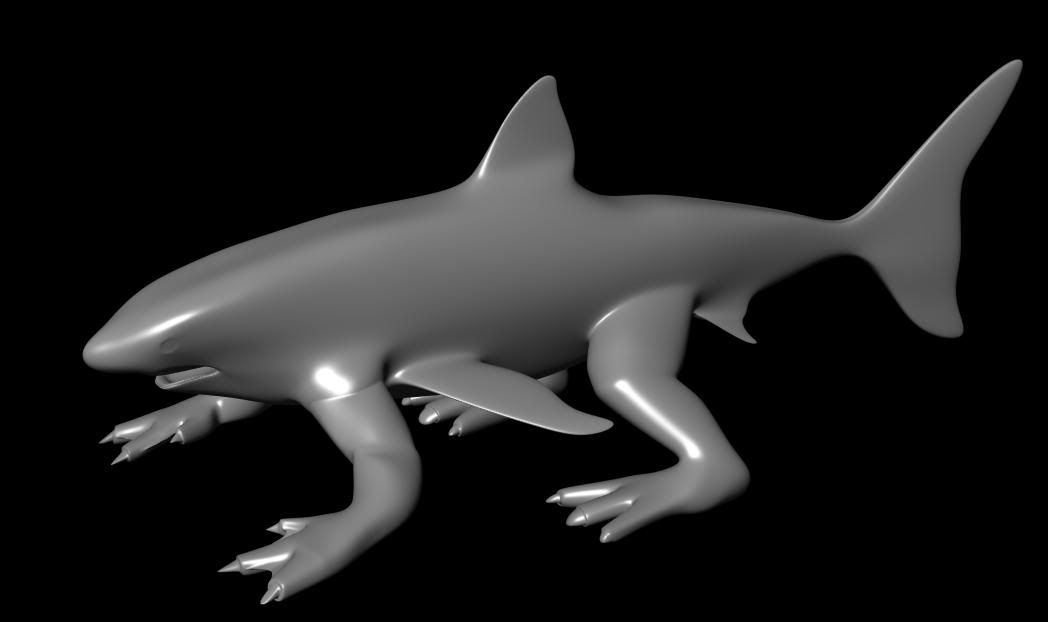
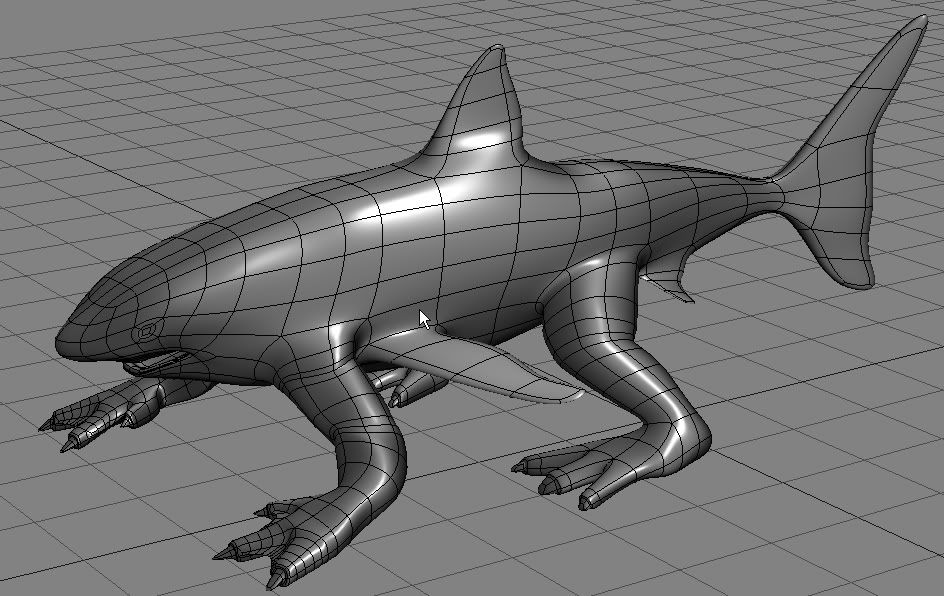
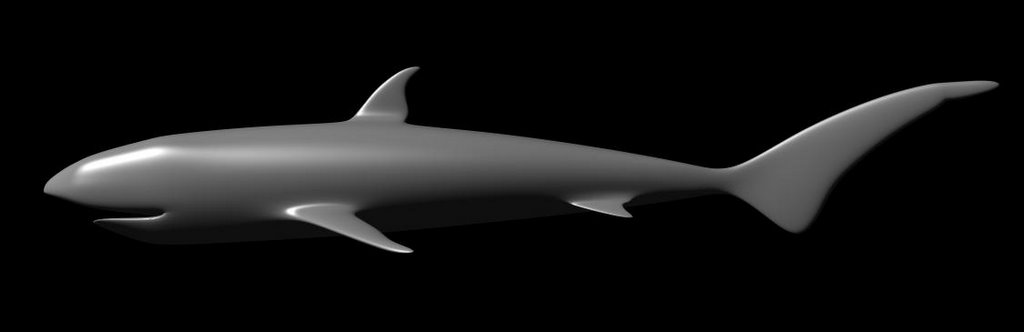
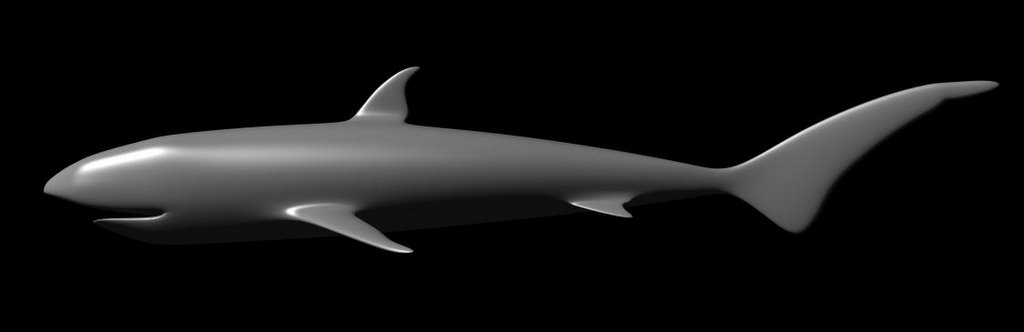
In case you are wondering what happened to my reptilious shark , it was left ufinished of course. But it turned out well. The reason I did not finished is because i tried to sculpt scales on its body resembling a crocodile but it was a bit difficult. It required a high detail mesh and my computer did not allow it (only 2 GHz at the time and a low spec graphic card) and that was my excuse for quiting.

But I managed to sculpt properly the model , so I share it with you now , some people may find it worth their time.

This is the model , sculpted in Zbrush and rendered in XSI


and this is the wireframe


Click the photos for a larger view.

Blofeld Editor VST with JAVA

I have already started making a blofeld editor using the VST framerwork from JAVA with the help of the jVSTwRapper . The editor will probably implement the basic functionality of Waldorf Blofeld synth and will exclude any sysex related features like the arpeggiator and utility parameters which can be unstable in some hosts. Building a very good looking GUI is the purpose as well. But for now a non GUI version is the highest priority which will control alla CC controllable parameters of the Waldorf Blofeld synthesiszer.

I have already made a first version which can control the cutoff of the first filter but I experience problems with making midi pass thru the editor. As soon as I solve this problem , then the non gui editor will be just a matter of time ;)

Watch this space for all updates.

Saturday, February 18, 2006

XSI->The Shark->Step Two


As I promised i finished the general shape and added fins and tail. Here is the render region of the right side.

XSI -> The Shark -> Step One

I have finished the general shape of the shark and added the fins. I will try to add some pictures tomorrow.

Genesis

This is the first post. I will post here my progress with XSI and other hobies...